
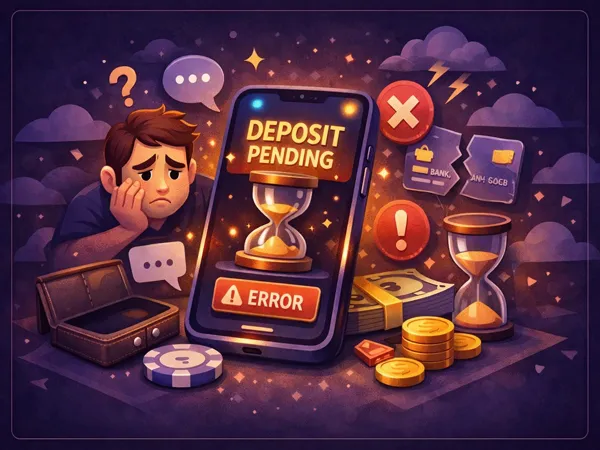
If your deposit has not arrived at Vavada, follow this sequence: check your transaction history in the cashier, verify the payment status with your bank or wallet provider, wait the expected processing time (instant for cards, up to 30 minutes for crypto), then contact support via live chat or the email address listed on the website with your transaction details. The most common causes are wrong crypto network, insufficient blockchain gas fees, or bank-side blocks on gambling transactions.
Step 1: Check your transaction history
Look for the deposit in your Vavada cashier
Before assuming something went wrong, check whether the deposit is showing in your account but perhaps credited to a different balance:
- Log in to your Vavada account and open the Cashier section.
- Navigate to "Transaction History" or "Deposit History."
- Look for your recent deposit. It should show one of these statuses: Completed, Pending, Processing, or Failed.
- Check both your real balance and bonus balance. If you had an active bonus, the funds might have been split between the two.
If the transaction shows as "Completed" but your balance seems wrong, the deposit may have been applied to your bonus balance (if a deposit bonus was active). Check the Bonuses section to confirm.
Step 2: Verify with your payment provider
Check whether the money left your account
The next step is confirming whether the funds were actually sent from your side:
For bank cards:
- Check your online banking or mobile banking app for the transaction.
- Look for a pending charge or authorization hold from Vavada or its payment processor.
- If no charge appears, the payment was likely declined by your bank before it reached Vavada.
For e-wallets (Skrill, Neteller, etc.):
- Log in to your e-wallet account and check your transaction history.
- Verify the payment status. If it shows as "Completed" on the e-wallet side but not at Vavada, the issue is on the receiving end.
For cryptocurrency:
- Check the transaction status on a blockchain explorer (e.g., blockchain.com for BTC, tronscan.org for TRC-20, etherscan.io for ERC-20).
- Look up your transaction hash (TXID). Verify that it shows the correct receiving address and has enough confirmations.
- If the transaction shows 0 confirmations, it is still being processed by the network.
Step 3: Wait the expected processing time
Some methods take longer than others
Not all deposits are instant. Here are the normal processing times you should wait before escalating:
| Payment Method | Normal Wait Time | Maximum Wait Before Contacting Support |
|---|---|---|
| Visa / Mastercard | Instant - 2 minutes | 15 minutes |
| Apple Pay / Google Pay | Instant | 10 minutes |
| Skrill / Neteller | Instant | 15 minutes |
| Bitcoin (BTC) | 10-30 minutes | 1 hour |
| Ethereum (ETH) | 5-15 minutes | 30 minutes |
| USDT (TRC-20) | 5-10 minutes | 30 minutes |
| Other cryptocurrencies | 1-30 minutes | 1 hour |
| ByBit Pay / Binance Pay | Instant | 10 minutes |
For cryptocurrency deposits, congestion on the blockchain can cause delays beyond normal times. During periods of high network activity, Bitcoin transactions may take up to 60 minutes. If you used a low gas fee (for ETH/ERC-20 tokens), the transaction may be stuck in the mempool until fees decrease or a miner picks it up.
Step 4: Contact Vavada support
What to include in your support request
If the deposit has not arrived after the expected wait time, contact Vavada support through one of these channels:
- Live chat - available 24/7 on the Vavada website. Click the chat icon in the bottom corner. This is the fastest option.
- Email - send a detailed message to the support email address listed on the Vavada website.
To speed up resolution, include the following information in your support request:
- Your account email or username
- Deposit amount and currency
- Payment method used
- Date and approximate time of the transaction
- Transaction ID or hash (for crypto: the TXID from your wallet; for cards: the authorization code from your bank)
- Screenshot of the transaction from your bank, e-wallet, or blockchain explorer
For crypto deposits, always save your transaction hash (TXID). This is the single most important piece of evidence for resolving missing deposits. You can find it in your sending wallet's transaction history or on the blockchain explorer.
Common causes of failed deposits
Why deposits fail and how to prevent it
Based on the most frequent support requests, here are the top reasons deposits do not arrive:
1. Wrong crypto network. Sending USDT on the ERC-20 network when Vavada expects TRC-20 (or vice versa) is the most common crypto deposit issue. Funds sent to the wrong network may be recoverable by support, but the process takes time. Always double-check the network before confirming.
2. Insufficient gas fee. For Ethereum and ERC-20 token deposits, a gas fee that is too low causes the transaction to sit in the pending pool indefinitely. You can speed it up by resubmitting with a higher gas fee from your wallet (if supported), or wait for network congestion to decrease.
3. Bank blocking the transaction. Many European banks flag or block gambling transactions. This is a bank-side decision, not a Vavada issue. Solutions: call your bank to authorize the payment, use a different card, or switch to an e-wallet or crypto method.
4. Below minimum deposit. If you send less than the minimum amount for your chosen method, the transaction may be rejected or stuck. Check the minimum deposit table before sending.
5. Expired payment session. Card and e-wallet deposits create a time-limited payment session. If you take too long to complete the authentication (3D Secure, e-wallet login), the session expires. Simply start a new deposit.
When depositing crypto, always verify three things: the correct wallet address, the correct network (TRC-20, ERC-20, BEP-20, etc.), and that you are sending an amount above the minimum. Getting any of these wrong can result in lost funds that may be difficult or impossible to recover. See the full list of supported cryptocurrencies and networks.
Most deposit issues resolve themselves within the normal processing time. The key is patience and documentation - save your transaction details, check both sides (your provider and Vavada's cashier), and wait the appropriate time before contacting support. If you do need help, the live chat is the fastest route. For future deposits, consider using payment methods with instant processing (cards, e-wallets, or Binance/ByBit Pay) to minimize wait times. See our deposit guide for step-by-step instructions on all methods, or visit the payments page for the complete overview.